 Open Loops
Free on iPhone
Stop forgetting what matters.
Turn messages, screenshots, and assignments into organized tasks and timely reminders, all in one place.
Built for college students and busy people. Review everything before it's saved.
How it works
From a message to a reminder in three steps
 01
Capture
Paste text, forward a message, or choose a screenshot, photo or PDF.
 02
Review
Open Loops finds potential deadlines and tasks. Review the suggestions before saving. Nothing becomes a Loop until you say so.
 03
Remember
Get organized Loops and reminders so important commitments don't slip through the cracks.
Features
Everything you need to keep your commitments
Open Loops finds what matters in the things you already receive, then helps you act on it.
AI text capture
Paste a text, email or note. Open Loops finds the dates and tasks for you to review.
Screenshot, photo and PDF import
Import a syllabus, an invite or a bill, then pick which items to keep.
Smart reminders
Get reminders at sensible times so a deadline never sneaks up on you.
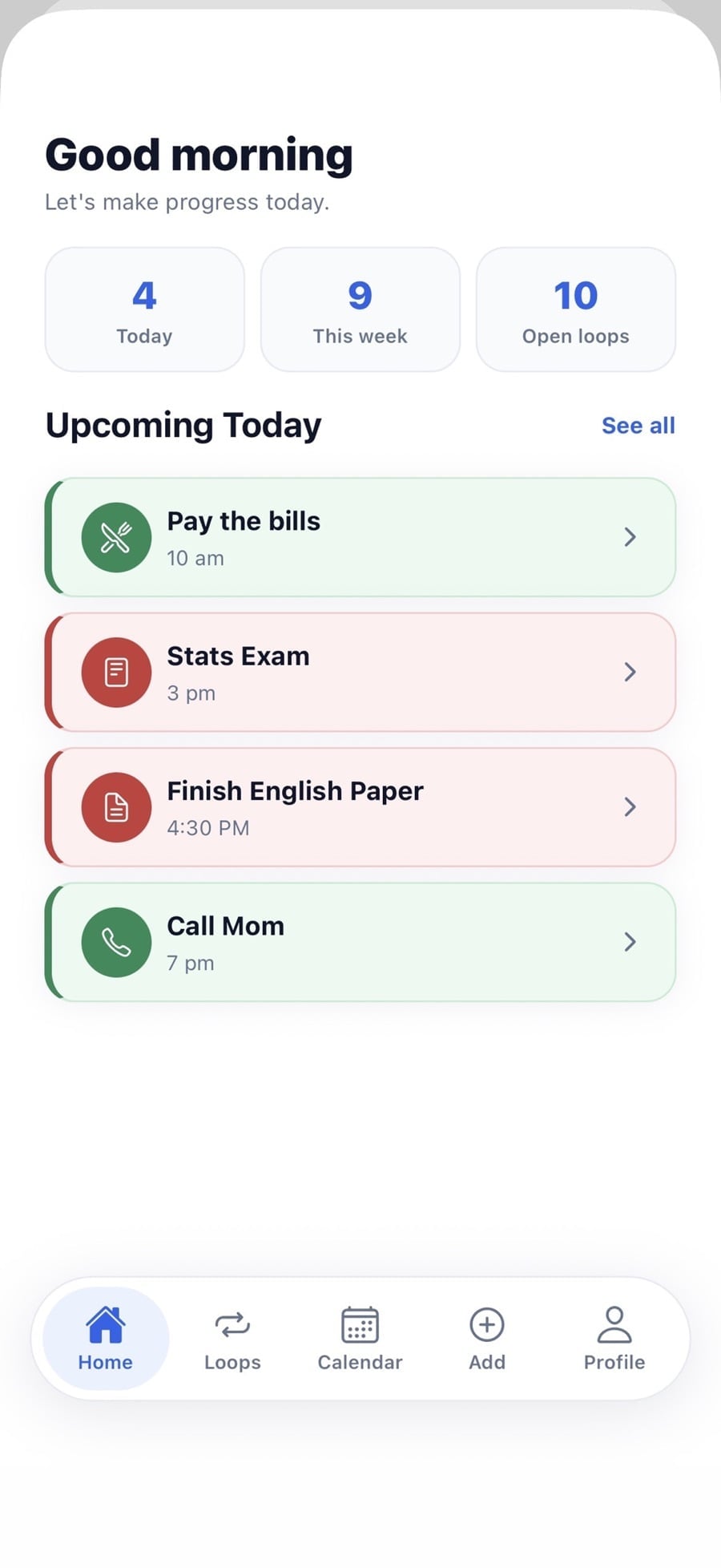
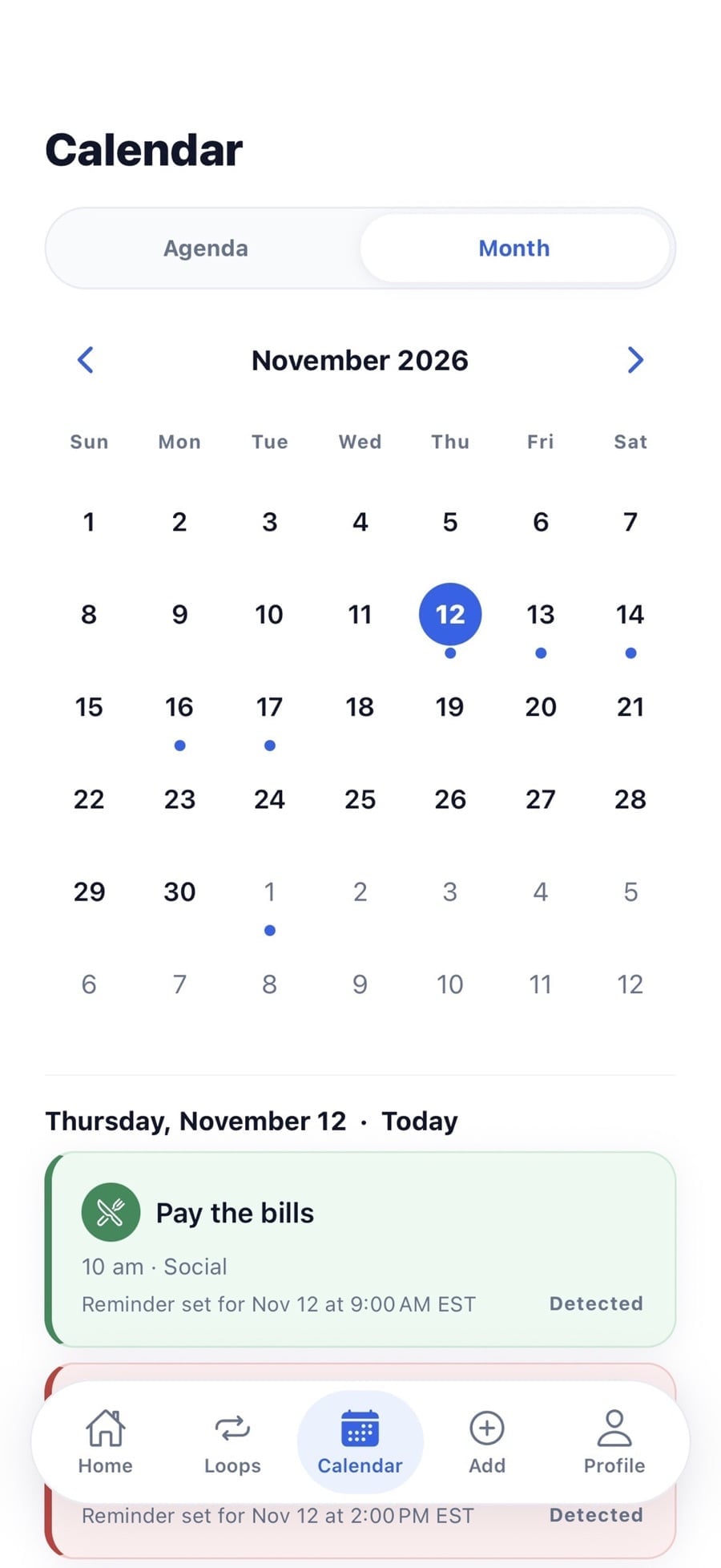
Calendar and Agenda
See what is coming in a month view or a simple agenda list.
Morning Brief
An optional daily summary of what is on your plate today.
Manual Loops
Prefer to type it yourself? Create a Loop in seconds, no AI needed.
AI Assignment BreakdownPro, coming soon
Planned for Open Loops Pro. Not available in the App Store yet.
Made for student life
Deadlines hide everywhere. Open Loops finds them.
Illustrative examples of what you might send Open Loops. These are made-up samples, not real user data.
“Assignment 3: Research proposal due Friday, Oct 16 at 11:59 PM. Submit on the course site.”
Suggested Loop to reviewResearch proposal, due Friday at 11:59 PM
“Can everyone send me their slides by Wednesday night? We present at 9 on Thursday.”
Suggested Loop to reviewSend slides, Wednesday night. Group presentation, Thursday 9 AM
“Quiz 1: Sep 24. Midterm: Oct 22. Paper 1 due Nov 5. Final project due Dec 10.”
Suggested Loop to reviewFour deadlines to review and keep, or skip
“Stats exam Monday at 3. Study the night before.”
Suggested Loop to reviewStats exam, Monday 3 PM, with a reminder before it
Pricing
Free today. Pro is coming soon.
Download Open Loops from the App Store and start capturing for free. Pro is coming soon and is not in the App Store yet.
Free
Available now$0
- AI text capture, with a monthly allowance
- Screenshot, photo and PDF imports, with a monthly allowance
- Create Loops yourself, any time
- Reminders, Calendar, Agenda and Morning Brief
Planned with Pro, not live yet: Free would include 10 AI text captures per UTC calendar month, 2 confirmed screenshot, photo or PDF imports per month, unlimited manually created Loops and basic reminders.
Pro
Coming soonPlanned pricing, not live yet
$4.99per monthor $29.99 per year
- 200 AI captures per month
- 20 confirmed screenshot, photo or PDF imports per month
- AI Assignment Breakdown
Pro is coming soon and is not available in the App Store yet. Planned limits and pricing may change before launch. When it launches, subscriptions will be purchased in the app through Apple.
FAQ
Questions, answered
Need something else? Visit Support.
Is Open Loops free?
Yes. Open Loops is free to download and use on iPhone. AI reading is subject to a monthly allowance that resets on the 1st of each month (UTC). Creating Loops yourself never counts against it. A paid Pro plan is planned but is not available yet.
How does AI capture work?
With your permission, Open Loops sends the text, photo or PDF you submit to OpenAI to find dates, deadlines and tasks. It then suggests them for you to review. AI results can be wrong, so check a Loop before relying on it. The Privacy Policy explains exactly what is sent.
Can I manually create tasks?
Yes. Choose Create Manually in the Add tab and fill in the details yourself. No AI is involved and it does not use your monthly allowance.
Can I import PDFs or screenshots?
Yes. Import a screenshot, photo or PDF, like a syllabus, an invite or a bill, and pick which items to keep. Open Loops does not store the file itself. It is held only while it is being read.
Can I review AI suggestions before saving?
Always. Nothing becomes a Loop until you say so.
Does Open Loops work on iPhone?
Open Loops is built for iPhone and is available on the App Store. It requires iOS 15.1 or later.
What features are included in Pro?
Open Loops Pro is coming soon and is not available in the App Store yet. The planned plan is $4.99 per month or $29.99 per year, with 200 AI captures per month, 20 confirmed imports per month and AI Assignment Breakdown. AI Assignment Breakdown is a Pro feature and is not part of the current public app. Planned details may change before launch.